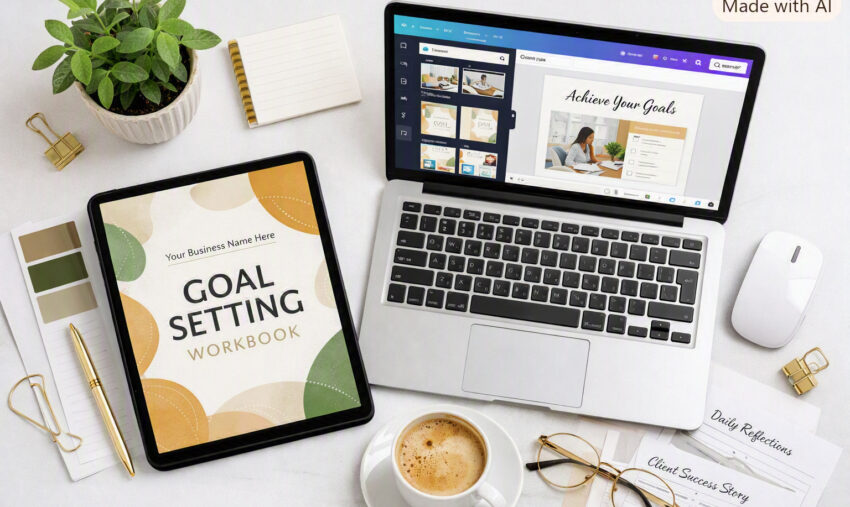
“Information becomes transformation the moment you turn it into action — that’s the power of a workbook.”
One of the fastest ways to create high-quality digital products, lead magnets, or client resources is by combining two powerful tools: PLR content and Canva template workbooks. On their own, each tool saves you time. But when you use them together, you can transform a simple article into a polished, interactive workbook your audience will actually use — and love.
The magic happens when you shift from information to application. A PLR article gives you the raw material, but a workbook turns that material into an experience. It helps your reader think, reflect, take action, and make progress. And the best part? You don’t need to be a designer or a writer to pull it off.
Here’s how to turn a PLR article into a beautifully structured, engaging Canva workbook that feels original, valuable, and completely aligned with your brand.
Start With the Right PLR Article
The process begins with choosing a PLR article that fits the topic of the workbook you want to create. Look for content that has:
- A clear theme
- Actionable ideas
- Strong teaching points
- A structure you can break into sections
Read through the article once and highlight the parts you want to keep, reword, or expand. PLR is meant to be customized, so don’t hesitate to adjust the tone, add your own examples, or remove anything that doesn’t fit your message.
Think of the PLR article as your foundation, not your finished product.
Open Your Canva Workbook Template
Once you know which parts of the article you want to use, open your Canva workbook template. This is where the transformation begins.
A workbook is not just text on a page — it’s a guided journey. So before you paste anything, decide how you want the content to flow. Ask yourself:
- What is the main outcome I want the reader to achieve?
- Which parts of the article support that outcome?
- How can I break the content into digestible sections?
You might use the article’s introduction as your opening page, turn each main point into its own section, or reorganize the content into a more logical sequence.
Turn Information into Interaction
This is where your workbook becomes powerful.
Instead of simply pasting the article into Canva, think about how to turn each idea into something the reader can engage with. Workbooks work best when they help people think, reflect, and take action.
Here are ways to transform PLR text into workbook elements:
Reflection Questions
Take a paragraph from the article and ask:
- “What does this mean for you personally?”
- “How have you experienced this in your life?”
- “What challenges come up for you around this topic?”
Journaling Prompts
Turn the main ideas into deeper prompts:
- “Write about a time when this concept showed up in your life.”
- “Describe how you want this area of your life to improve.”
Action Steps
Help the reader apply what they learned:
- “List three things you can do this week to practice this idea.”
- “Choose one action you will take today.”
Checklists
If the article includes steps or tips, turn them into a checklist the reader can follow.
Fill-in-the-Blank Exercises
These make the content more personal and memorable:
- “One thing I want to change is ______.”
- “A belief I want to let go of is ______.”
Mini Challenges
Give the reader something to try: “For the next 24 hours, practice this technique and write down what you notice.”
Callout Boxes
Highlight important quotes, reminders, or insights from the PLR article.
These elements turn your workbook from a passive reading experience into an active transformation tool.
Paste and Format the PLR Content
Now that you know how you want the workbook to flow, paste the PLR text into the appropriate sections of your Canva template. Break long paragraphs into smaller chunks. Add headers, subheadings, bullet points, and callout boxes to make the content easy to read.
Canva makes it simple to adjust fonts, colors, spacing, and layout so everything looks clean and professional. This is also a great time to add:
- Icons
- Illustrations
- Dividers
- Page numbers
- Your branding
A visually appealing workbook keeps readers engaged and helps them absorb the material more effectively.
Personalize the Content
Even though PLR gives you a head start, your workbook becomes truly valuable when you add your own voice. Personalization doesn’t have to be complicated. You can:
- Add your own examples or stories
- Insert your own insights
- Reword sentences to match your tone
- Add encouragement or motivational notes
- Include your branding and style
These small touches make the workbook feel original and aligned with your message — not like something that was copied and pasted.
Review for Flow and Consistency
Before you finalize your workbook, read through it from start to finish. Make sure:
- The content flows logically
- The questions match the teaching points
- The design is consistent
- The fonts and colors match your brand
- The workbook feels cohesive and easy to follow
Once everything looks polished, your PLR-powered Canva workbook is ready to use, sell, or share.
Final Thoughts
Turning a PLR article into a Canva workbook is one of the smartest ways to create high-value content quickly. You’re not just repackaging information — you’re creating a guided experience that helps your audience think, reflect, and take action.
With the right PLR content, a well-designed Canva template, and a few thoughtful workbook elements, you can create digital products that feel professional, original, and useful.